
Wrangle Your Shopify Catalog Like a Pro
HFProductManager is a modern native Windows desktop application that gives Shopify store owners the speed and power that Shopify Admin can't.
Bulk edit, import, export, and manage your entire product catalogue from a fast, local desktop interface — with complete metafield support and AI-powered content generation. Your data never leaves your machine.
Coming soon for Windows 10/11.
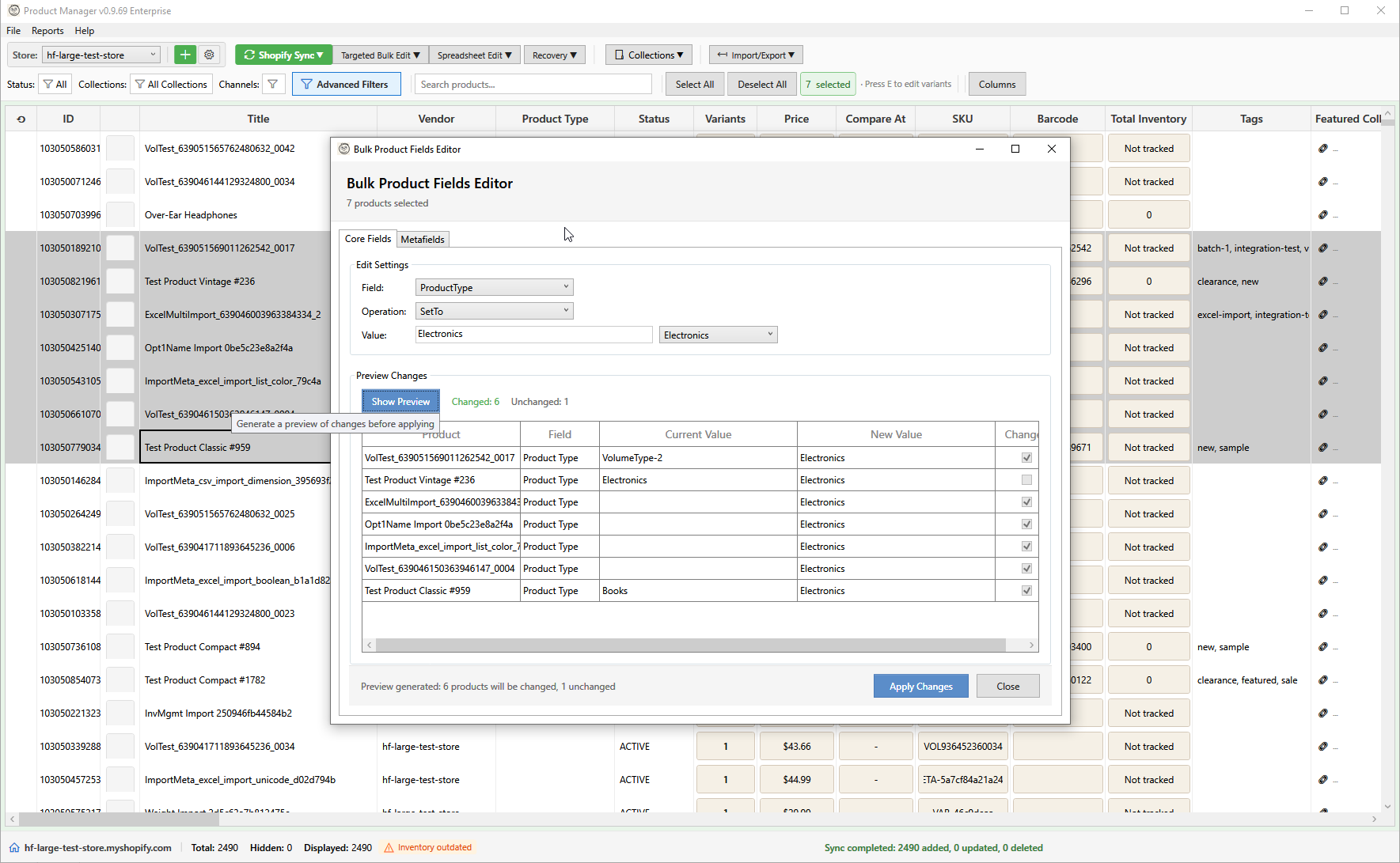
HFProductManager is in beta. Shopify store owners are using it in real stores right now. Join the beta for a free Professional licence and lifetime updates.
Join the BetaEverything You Need to Manage Products
From bulk editing to AI-powered content, HFProductManager has the tools you need.
Built on the Latest Technology
Modern .NET 8 app using Shopify's latest GraphQL Admin API. No browser tabs, no web app lag, no outdated REST API.
Complete Metafield Support
Every Shopify metafield type supported. Bulk edit, import, export, validate, and manage across products and variants.
Bulk Editing
Edit prices, compare-at prices, inventory, tags, vendors, types, SEO fields, and more across hundreds of products at once.
Import & Export
CSV, Excel, Google Shopping XML, and Etsy CSV import with customisable field mapping profiles.
AI Content Generation
Generate descriptions and titles in bulk with your own API key. Supports Gemini, Claude, and ChatGPT.
Variant Grid Editor
Spreadsheet-style editing for variants across multiple products. Edit prices, SKUs, weights, and variant metafields.
Data Safety
Undo for bulk operations, automatic backups, deleted product recovery with optional image caching.
Your Data Stays Local
All data cached locally. Credentials encrypted with Windows DPAPI. No data passes through our servers. No telemetry.
See All Features →
Plus inventory, collections, media, reports, multi-store, advanced filtering.
How It Works
Get started in minutes with a simple three-step workflow.
Connect Your Store
Create a custom app in Shopify Admin, then enter your Client ID and Secret. Your data stays on your computer.
Filter & Select
Use powerful filters to find exactly the products you need. Select one, some, or all.
Edit & Sync
Make your changes with bulk tools or inline editing. Preview and sync back to Shopify.
Ready to Streamline Your Workflow?
HFProductManager is coming soon. Sign up to be notified when we launch and get early access.
Get Notified at Launch